Showing posts with label poser. Show all posts

Saturday, March 12, 2011

How to use Poser/DAZ models in Khayyam

There is almost endless number of Poser models and props (accessories) available from sites like DAZ3D, Renderosity and Renderotica (adult content). It is possible, although somewhat tricky, to get many of these to work in Khayyam. So I have composed a small tutorial of loading figures, hair, clothes and materials in Khayyam.

Warning: Khayyam is still in very early stages of development and many models do not work. So better do not purchase expensive models unless you also have Poser/DAZ or know, that you can get them working. But you can always hunt for cheap things, bargains and free stuff (DAZ forums is a great resource for finding free models). If something does not work, I can usually fix the Khayyam code - but you have to buy given model for me so I can experiment :D

1. Loading Cr2 model

Cr2 (Character Rig) is the skeletally controlled model, that is mostly used for human figures (also animals) and more complex hairstyles.
Select Object -> Import -> Import Poser mesh
Depending on your library size it may take some time to load all previews. When done, the import dialog will open. If you have not specified Poser library path yet, the library list is empty. Click on Choose Library and select the Runtime directory of your model installation tree.
Most human figures are under Character subtree. I use DAZ People -> Victoria 4.2.cr2 as an example for the tutorial.

Khayyam Cr2 import dialog with Victoria 4.2 selected

 Click Import and the the import options dialog will open.


If importing main figure you should keep all options at default values, as shown above.
  •  Create skeleton will build editable skeleton for rigged model. Normally you want to keep this checked.
  •  Import as standalone mesh will build new toplevel figure. Unless you are adding hair or clothes to existing figure, this should also be checked.


Click Import and the figure will be inserted to main document. You can close the Import Poser dialog or keep it open, as we will use the same dialog later again.

Figure imported to main document

As you can see, the default look is quite plain. We'll add proper materials soon to make her more attractive.
Now it is time to open the Document Tree dialog, if not already open. Select the figure (click on it, so the selection box turns orange) and choose Dialogs -> Document Tree.

Document Tree dialog with some nodes expanded
At the left side is the DOM tree of current document. At the right side are the property pages of the currently selected node. Most fine-tuning of objects is done with property pages.

All poseable objects have toplevel node Figure. It works as a container of one or more geometries (actual poseable objects), skeleton (a controller of those geometries) and possibly other node types.
Selecting the single geometry under imported figure opens the property page of Cr2 object. Here you can see a tree of actors and associated dials. The base V4 figure has only few morphs, but if you expand the tree and select head actor, you can access the lip sync dials, for example.

Khayyam build IK Chains automatically from model data - but does not set bone constraints. You can play with IK chains (and FK posing too) by selecting bone edit mode in main window.

NB! V4 figure has extra EyeBrow object, that partially covers the face. To turn this off, select the geometry node in document tree, select the middle Geometry property page from the notebook at right, scroll down and turn the visible checkbox off for 1_EyeBrow material.

2. Adding clothes

Clothes have to follow body position, so they are also poseable objects (of type cr2). To import clothing item, keep the main figure selected and open again Import Poser Dialog (or bring it up, if you did not close it). Select proper clothing item (it should appear in preview, if Khayyam can load it) and click Import. Unfortunately the free V4 base does not include clothes, so you have to buy these yourself or search for free ones. I am using free Bucketload 3D Sunny Bikini for current tutorial.
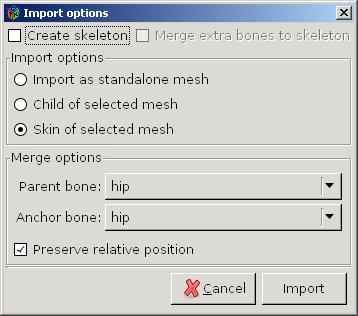

If you had the figure selected, the import options dialog has a bit different set of controls selected. Normally you want to keep the preselected values.
  •  Create skeleton is unselected, because the figure already has skeleton.
  •  Skin of selected mesh - it means, that it will be fully controlled by main figure skeleton.
  •  Parent bone and anchor bone are set to the lowest common bone (actor) in the hierarchies of both objects.

Click Import and clothing item should be added to the figure.
NB! If the clothing item is built for a different base figure (V3, A3...) it is quite possible, that it does not "fit". Sometimes you can adjust it with morphs, but often this does not help. You can remove wrong objects by selecting corresponding geometries in document tree and clicking on trashcan image.
Repeat clothing import for as many items as you need (well - you do not need any, but to keep this tutorial work-safe, I'll add at least bra and panties).

V4 figure with bikinis loaded

As you can see, both the main figure and bikini are plain. We'll set material as the next step.

3. Loading materials

Predefined materials are either Pose files (pz2) or Material definition files (mc6). It is also possible to set materials by specifying texture files directly, but I'll skip this at moment (the procedure is the same, as in SBZ tutorial).
Materials are applied to geometry nodes - not the full figure. So in Document Tree Dialog, select the body geometry. On the property page, click the button Load Material... 
Materials are usually either under the Pose (older version) or Material (newer) subsection of library tree. You have to select correct material type - the ones for wrong object (clothes vs. body) do not work.

Library tree with material file selected

Click OK, and material will be imported. Usually the textures are huge, so depending on the speed of you computer and GPU it may take some time.
Material definitions are added as Pose nodes under Geometry nodes. There can be many material definitions - they are parsed from bottom to top - so it is, for example, possible to add makeup on top of body materials. To delete material definition, simply delete corresponding Pose node.
Repeat the same procedure for clothes - first select clothing geometry node and then click Load Material...  (of course you have to select appropriate material file for clothing).

4. Adding hair

There are 2 types of hair - poseable (cr2) and prop (hr2).
Adding cr2 hair is exactly the same as adding clothes - select main figure, choose hair object in Import Poser Dialog and import it as skin of selected mesh. Apply material just like for clothes.
Hr2 meshes do not have skeleton, thus they are imported as Poseable elements. Usually short hair is hr2, as it simply follows the movement of the head and does care about the neck and shoulders. But this will be shown in the next tutorial.

V4, bikinis and hair with materials applied

And this is it.
The next time I'll show, how to load poses, inject morphs and import Hr2 hair. Or you can try this yourself - it is not complicated at all, once you find the right place in document tree :D

Have fun!

Tuesday, March 1, 2011

Where to find free 3D models?

Even if it works for you, Khayyam is only as good as the 3D models you can insert into your scene. Thus I put together a small list of useful and/or interesting sites where you can find free or cheap 3D models. It does not pretend to be some sort of top 8 - there are many-many more websites, so you are free to suggest more.

A discus and neon tetras from Toucan Virtual Museum, rendered with POV-Ray

The places to go for models (in no particular order).

1. TurboSquid
This is probably the biggest resource of user-submitted 3D models in Internet, ranging from free or cheap class works to very professional and expensive characters and architectural models.

2. DAZ 3D
DAZ is the creator of both the professional 3D applications and the base human characters for Poser/DAZ Studio (Victoria, Michael and various derivatives). They have online store with lots of high quality models, some of them available for free (require registration still), including the starter versions of most of their human characters.

3. DAZ 3D forums
They have special sections for advertising free models. From there you can find links to some free hair and clothes to complement your figures.

4. Renderosity
For many this is The Internet Marketplace for 3D art. Huge amount of models for Poser/DAZ including many free ones. The prices seem to be a bit cheaper than in DAZ store. Registration required.

5. Toucan Virtual Museum
A small site that has some very nice free fish, flower and insect models, that are hard to find otherwise.

6. Archive 3D
More than 20 000 architectural models (mostly furniture) available fro download. No registration required.

7. Google 3D Warehouse
The companion site to Google SketchUp free modeling program. Big and growing selection of free user-created models.

8 Renderotica (Warning: Adult Content)
A must be site, if you want to render some steamy action. No free models, but otherwise good selection of characters, poses and accessories.


I have not tested them all, so I cannot tell, how much Khayyam compatible model formats are there.

Have fun! And do not forget to support the creators by purchase, donation or advertisement, if you find their models useful for you!

Sunday, February 27, 2011

The Girl and full body morphs

Have spent last days by writing code for morph injection. While Khayyam has supported both standalone and ERC morphs for some time, they had until now to be specified in the main cr2 file.

ERC stands for "Enhanced Remote Control" and it is a feature of Poser/DAZ Studio to chain morphs (actually arbitrary channels) together, so changing the value of master dial propagates to different body parts by changing their channel values. Thus, for example, applying FBM (Full Body Morph) of The Girl, the master dial applies corresponding morph to head and at the same time moves eyes to slightly up and wider. Plus many-many things to other body parts.

The ERC feature is used extensively in DAZ version 4 figures (Victoria, Michael, Aiko, The Girl). Actually Aiko and The Girl do not have separate bodies at all anymore, but are defined as FBMs of Victoria. Most recent clothes have conforming morphs as well, but unlike the morphs of base figures they may be needed to be loaded manually from separate file. Thus the urgent need for Khayyam for applying extra morph files to objects (by poser slang it is called injection).

The result can be seen at the following screenshot:

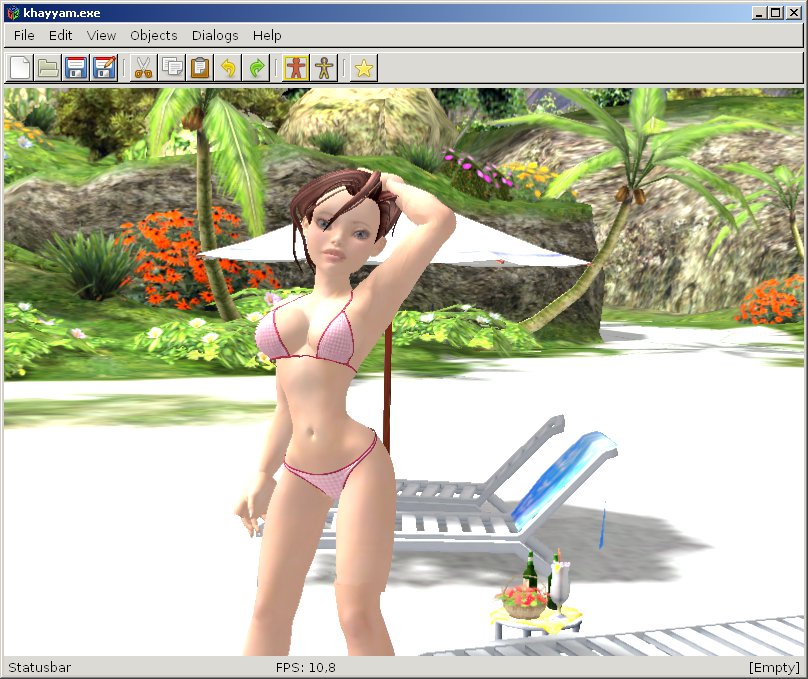
The Girl at the beach

Here you can see The Girl (Victoria 4 morph, so the body is actually the same as on previous Victoria pictures). Material is the original DAZ Studio "The Girl" texture set. Swimwear is Bucketload Sunny Bikini set, morphed to The Girl body. Background is beach scene from Sexy Beach 3.

Not everything works yet - for example The Girl FBM changes the sizes of some body parts like palms, and scaling is not implemented properly in Khayyam. To get the correct scaled hands, skeleton has to be modified (to move fingers along with scaled palm). Plus SmoothScale channel is not used, so the scaling boundaries are sharp.

Wednesday, February 23, 2011

Poses, poses, poses

Poser file formats are wonderful (or terrible) patchwork of figures and properties, endlessly extensible through a procedure called pose or morph injection. Basically you will take base figure (or extended one), add custom morphs, poses, materials and accessories (props), call it with fancy name and sell the extensions separately. As a result there is big and lively ecosystem of modelers and artists making living by selling virtual things for virtual worlds.

I am currently halfway through the implementation of those extension mechanisms for Khayyam. The most important ones - materials and poses mostly work now in CVS version and the results are really worth seeing.

Normally you start from plain base figure. As an example I use here the most famous one - DAZ Victoria 4 freely available from DAZ webpage.

Victoria 4 base figure
Not very pretty - right?
Next let's load a predefined pose to make it a bit more lifelike.

Victoria 4 posed

A bit better, but still ugly.
Now we import custom materials.

Materials, swimwear and hair
Most texture sets are a bit ... realistic, so I added swimwear as well. Also imported hair. Imported objects are usually immediately skinnable - i.e. they follow the figure pose automatically, as you can see from swimwear.
There is more Khayyam can already do - like apply morphs.

Closeup of face with eyes targeted and mouth morphed

Materials can be applied one on top of another - like eye color or makeup separately from main body texture. Transparent hair is a bit messed up in Khayyam, but will render properly if exported.
And last a quick render of the same figure with POV-Ray (different hair material and pose):

Victoria 4 at beach - renderd with POV-Ray 
That's all for today. Expect a release soon ;-)

Tuesday, February 15, 2011

Valentine day release

A new snapshot release 20110214 is available from Sourceforge page as both source tarball and precompiled Win32 binary.
This time it is mostly about Poser/DAZ 3D file format support.
  • Most joint properties work (there are slight inconsistencies with deformer spheres still)
  • Body morphs kinda work, but the results may vary depending on model and morph 
  • Hair can be imported as poseable item (attached to head actor)
  • Textures can include separate transparency maps
  • Clothes can be attached as skins so they follow poses 
 Not everything is easily available from GUI yet, so property editor is must-be tool.

DAZ Victoria 4 posed in Khayyam and rendered with POV-Ray
I have tested it mostly with Victoria 4 and Chibibel, so there can still be inconsistencies with other models. Victorial is the DAZ 3D base female model and freely available at moment. Chibibel used to be free also, but the promotion is over now.
Other than Poser file formats (cr2, pp2 and hr2), there are improvements in Collada file exporter, OBJ importer skeleton editor. Plus small bugfixes here and there.

Tuesday, October 26, 2010

Chibibel

Chibibel is a character by DAZ3D.
Poser cr2 (character rigging) files are quite heterogenous. So until now Chibibel has been the main reference implementation for cr2 importer.

Things implemented so far:
  • Parsing actor tree with channels. Actors (or props) are just a fancy name for bones (or frames) - i.e. positioned and transformed controllers for skin data. Channels are elementary property controllers - like individual rotation angles, morphs and so on. The main problem is, that the whole cr2 file format is mostly just (text based) dump of internal Poser controller structure as opposed to properly designed file format, so it contains many duplicate entries and meaningless data.
  • Twist and joint bend zones (no welds yet). Poser is special because the bending of joints is controlled with different weights for each main rotation axis - and these are specified algorithmically by line segments, angles and spheres. I am somewhat sceptical whether this would allow more natural movements - the weight system with extra bones and constraints should IMHO be easier and more powerful. But maybe it would be too difficult to set up for 3D modeling novices...
  • Welding obj meshes. Obj files cut meshes to groups, that cannot have interconnections. So cr2 file specifies, which groups should have their identically positioned vertices merged.
  • Loading textures from image files. Poser has quite complex material system, but currently Khayyam only looks it for diffuse texture entry and loads it as plain texture. Hopefully more is coming.
  • Conforming objects can be dropped to the same figure object as body. They behave surprisingly well, moving and bending with skeleton. But morphs cannot currently be linked, so if clothing has conforming morphs, they have to be adjusted manually.
  • Morphs work, but their values are not saved in XML data.
  • Props can be loaded but cannot be directly associated with bones. Props is (another) Poser fancy name for immutable objects (like tools, buildings etc).

Kuroyume Unoffcial CR2 File Specification has been invaluable resource for digging through the cryptic character data of Poser files.

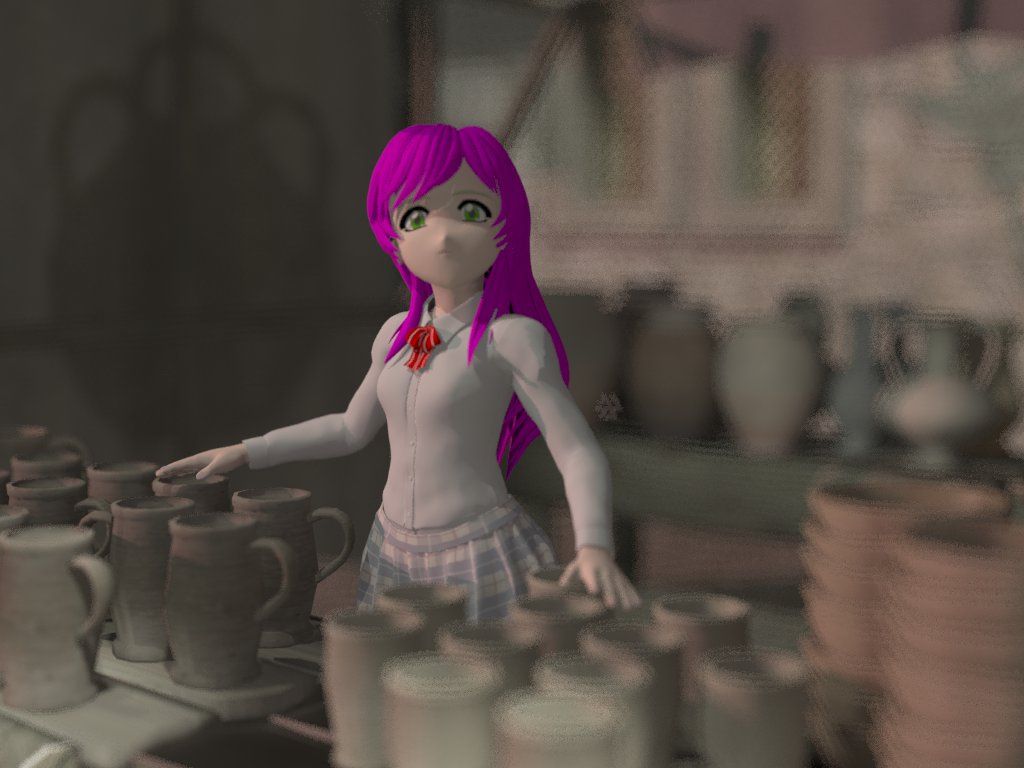
Obligatory screenshot - Chibibel selling pottery in market (rendered with POV-Ray)